
100% GDPR-compliant developed with love in Hamburg
Room booking system for
smart meeting rooms

PER USER PER MONTH
IN THE BASIC VERSION
+€10 one-off implementation costs per room
Test for 30 days free of charge and
without obligation – no risk at all








Advantages of
room booking software
in the hybrid office
Maximum transparency
With DEIN RAUM as your room booking system, you can see at a glance which rooms are free, occupied or reserved – directly in the floor plan and without any queries. This means that employees can book the right room more quickly, coordination runs more smoothly and spontaneous changes can be easily accommodated. This creates clarity in everyday life, reduces search times and makes hybrid collaboration plannable.

Simple release logic
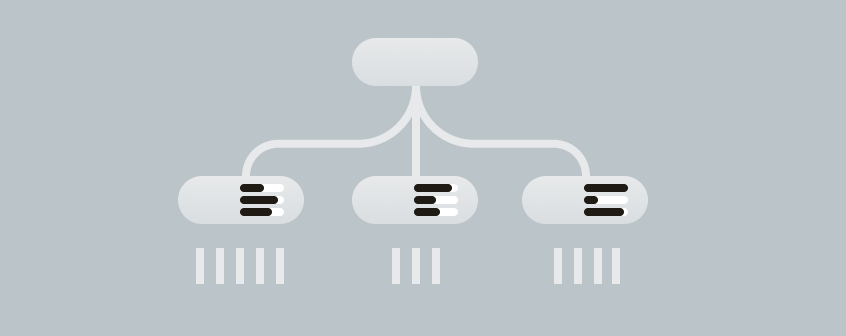
With clear approval processes in DEIN RAUM, you can bring order to your room booking software without slowing down the booking flow. Rooms, times or special requirements can be managed in such a way that bookings remain traceable and are still confirmed quickly. This minimizes conflicts, prevents double bookings and ensures that important appointments take place safely.

Clear authorization structure
With a structured assignment of rights , you can regulate who can see and book which rooms in DEIN RAUM – according to departments, teams or projects. This creates a room booking system that is fair and transparent because responsibilities are clear and sensitive areas remain protected. Your colleagues will find suitable options more quickly, while you retain control and avoid unnecessary coordination.
Strategic evaluations
With the evaluations in DEIN RAUM, you can see how much rooms are actually being used and where capacities are missing or remain unused. This makes decisions on room planning, equipment or booking rules much easier and data-based. The export function allows you to process the results flexibly, share them internally and optimize your room management in the long term.
What is a room booking system?
DEIN RAUM –
your efficient
room booking tool
Digital room booking systems are software solutions that allow companies to manage their meeting rooms, conference rooms and meeting rooms centrally and reserve them online via room booking. They replace manual processes such as Outlook calendars, paper lists or verbal agreements with a standardized, digital room booking system in real time.
Modern room booking systems go beyond mere reservations. They integrate into existing calendar and communication tools, enable meeting room booking via app or display and provide evaluations that support facility management and location planning based on data.
This is exactly where DEIN RAUM comes in: As a room booking software , we combine meeting room booking, desk sharing and parking management in one platform – developed for companies that want to use their space efficiently and offer their employees a smooth booking experience.
Overview of the functions of our room booking software
Catering
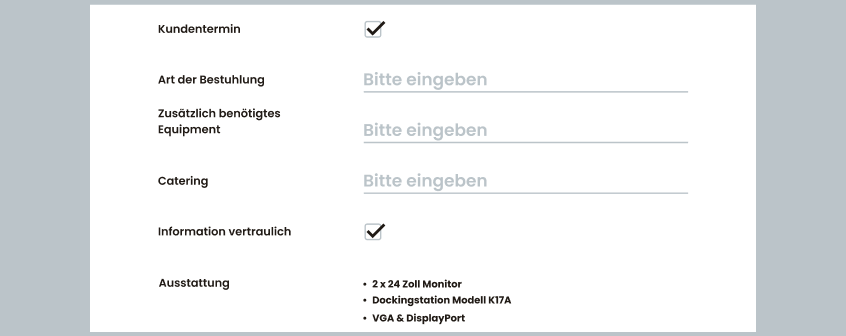
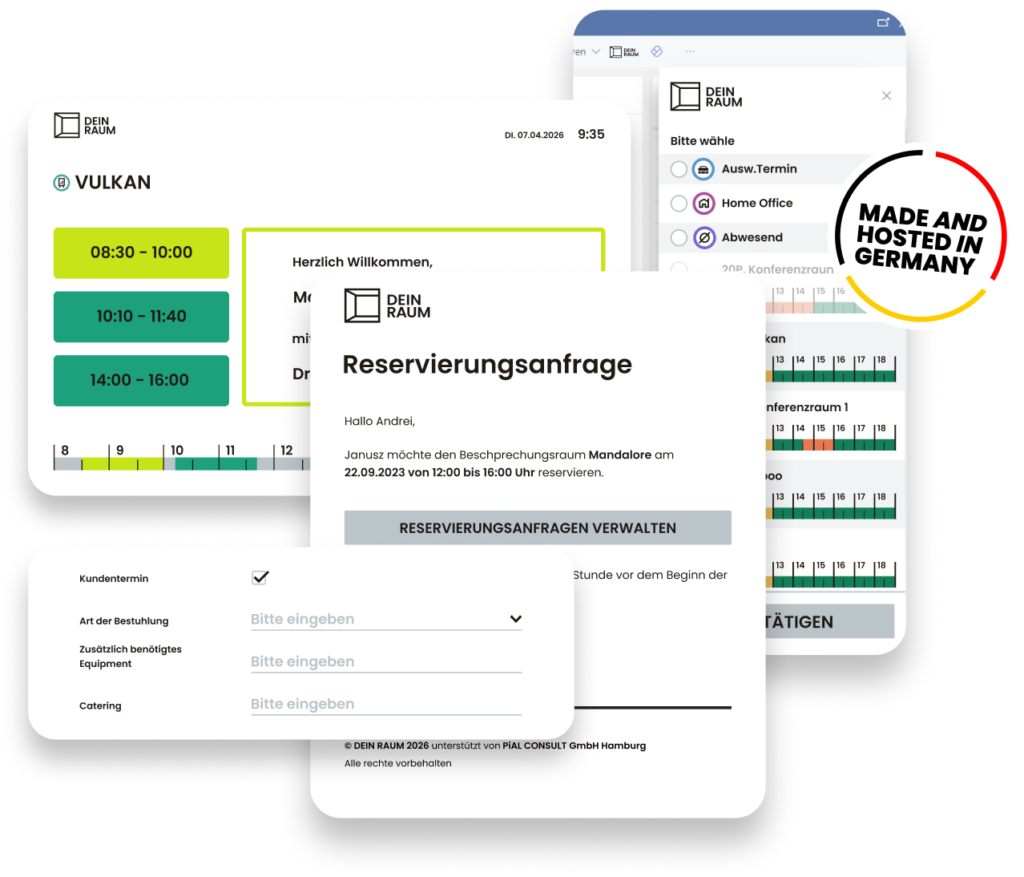
Requests for catering, seating arrangements and any additional technology required can be entered directly when reserving the room. The details are automatically sent to an e-mail address linked to the room – the team responsible receives all the information without the need for separate coordination.
Release
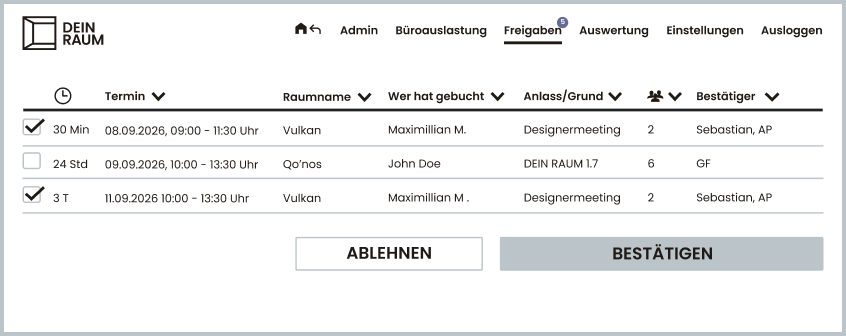
Highly frequented or prestigious rooms can be set to “By reservation only“. An authorized person checks the request and confirms or rejects it with a click – so you retain control over your most important rooms.
Capacity utilization analysis
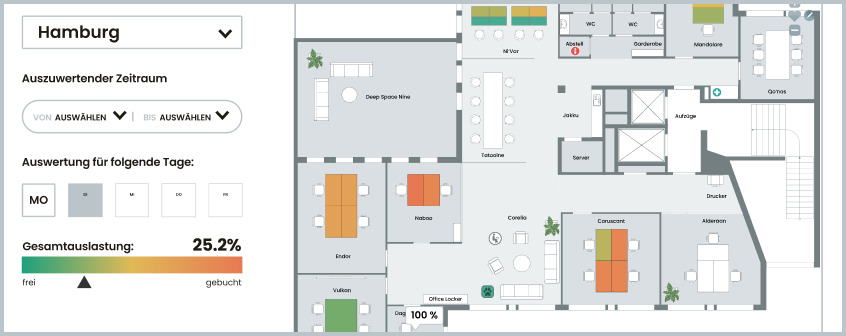
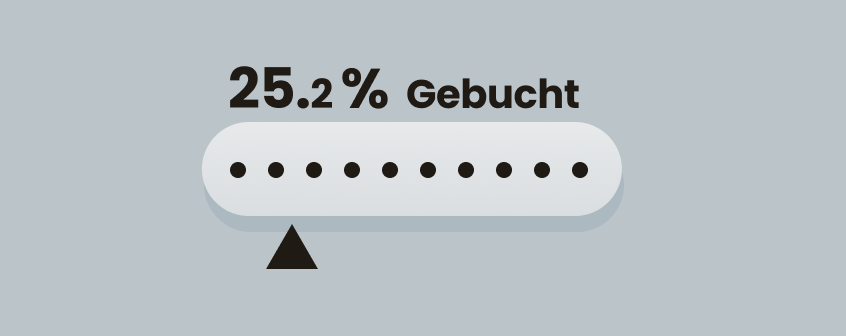
See at a glance which meeting rooms are overbooked and which are underbooked. The colored heat map on the floor plan and percentage values per room can be evaluated for any time period and day of the week. The data does not contain any personal references and is GDPR-compliant – perfect for making reliable decisions on space requirements and conversions.
Equipment filter
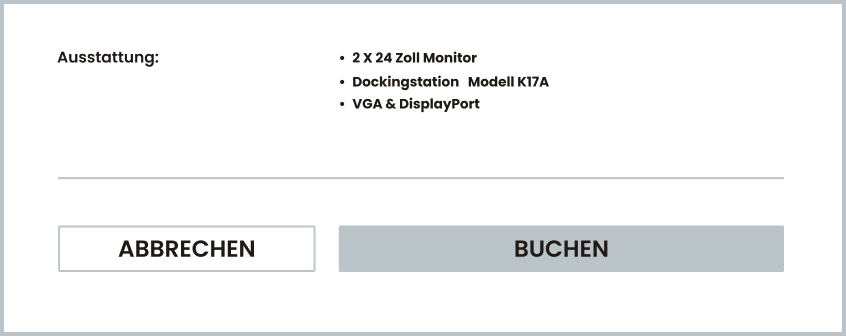
Instead of checking rooms individually, you can narrow down the selection using filters: Projector, whiteboard, video conferencing technology or capacity. This way, you’ll find the room that suits your meeting format in seconds.
Booking window
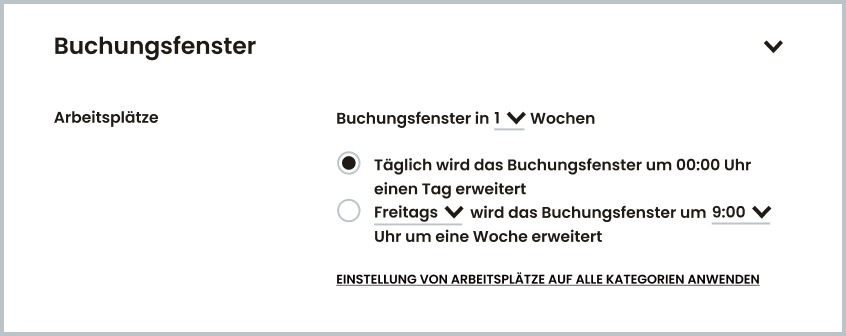
Decide for yourself how far in advance rooms can be reserved. You can also specify when the window is automatically extended – daily or on a fixed day of the week. This allows you to adapt availability precisely to your planning cycles.
Overview
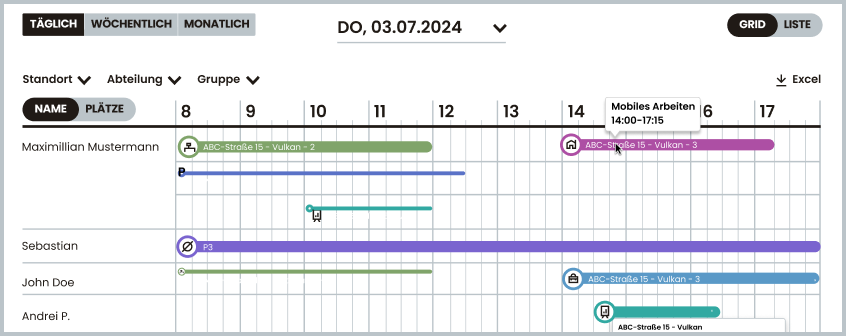
A grid view shows all meeting room bookings for a day or a week in parallel. Filterable by location, department or group and exportable as a PDF – useful for assistance, reception and facility management.
Room booking system
seamlessly integrated into your
company

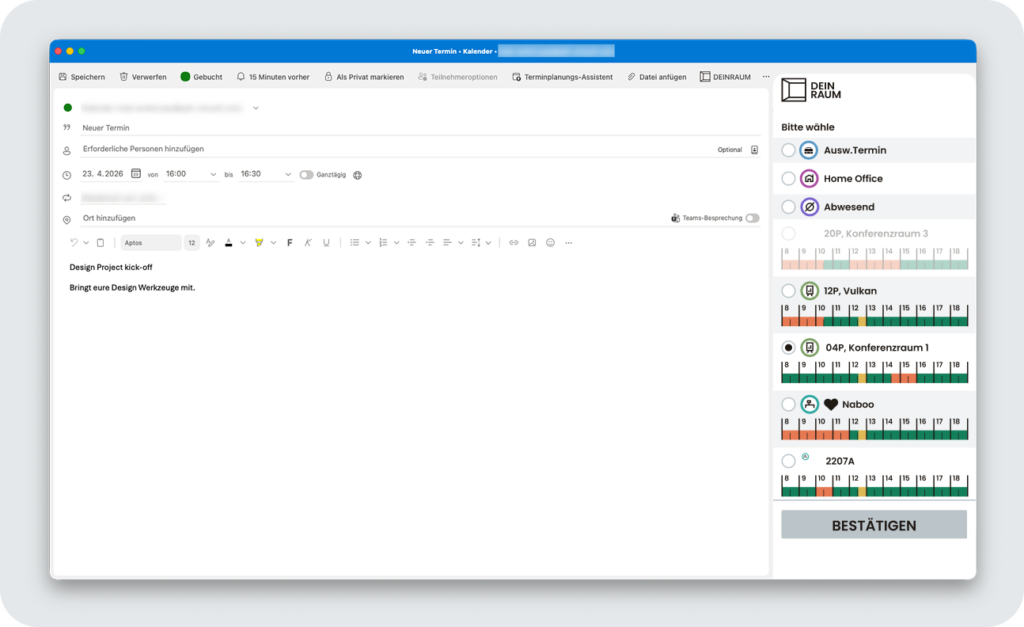
Book rooms with Outlook – directly from the calendar
Want to book a room from Outlook without switching tabs? The Outlook add-in from DEIN RAUM connects your calendar to the room booking system in real time so that appointments and room reservations are always synchronized – ideal for hybrid teams that switch between home and office. You can log in seamlessly via Single Sign-On, Microsoft Teams and Outlook Open ID – without a separate login.

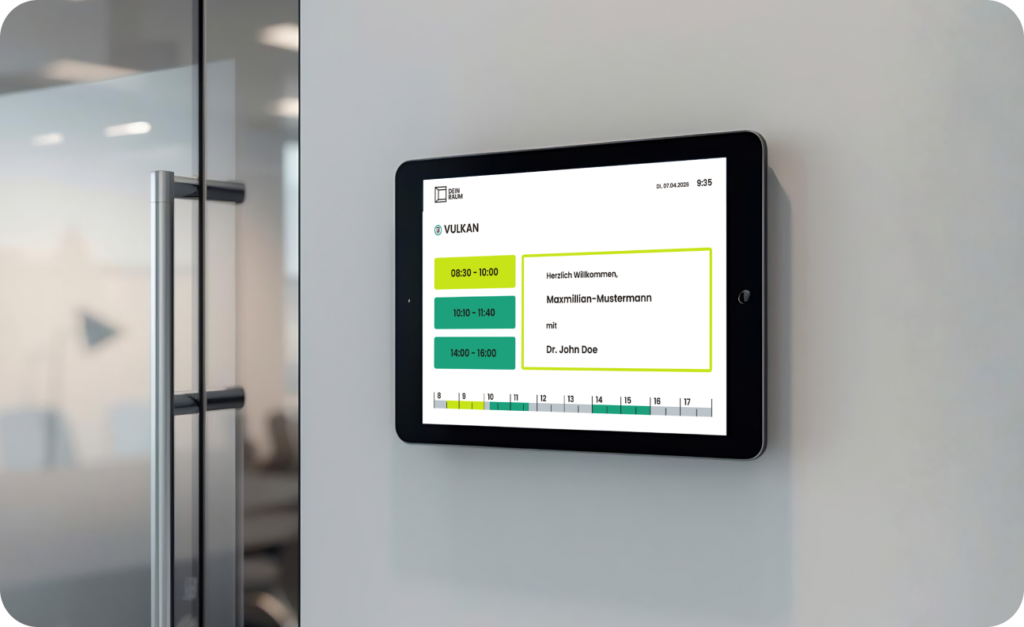
Meeting room display: digital door sign for real-time status
With the digital door sign, you can see at a glance which meeting room is free or occupied – directly on site on the display. The display synchronizes live with the room booking software and shows current occupancy, upcoming dates and availability in real time. This means you can find the right room at first glance without having to search for information for a long time.
Still unsure?
Request a non-binding quote now
We understand that every company is unique and has its own challenges. Introducing a room booking system into existing structures, Outlook calendars and workflows is not something that can be done overnight. That’s why we like to take the time to understand your individual requirements in order to offer you and your company the best solution.
So feel free to contact us at any time – by phone, chat, email or using our contact form below. We look forward to hearing from you and discussing the software or the topics of room booking, meeting room management and hybrid working with you!
Test the room booking software free of charge and without obligation in your day-to-day work.





Frequently asked questions about the room booking system
More about room booking in the New Work blog
No post found!